


A Comprehensive Guide to Securing HPE ProLiant Servers
In the modern enterprise landscape, the server is no longer just a box in a rack; it is the physical foundation of your entire digital asset base. As an IT specialist, I’ve seen that security is often treated as a perimeter issue (firewalls and VLANs), while the hardware layer remains a “blind spot.” However, with the rise of firmware-level rootkits and persistent threats, securing your HPE ProLiant Gen10 and Gen11 infrastructure is paramount.
HPE is widely considered the world’s most secure industry-standard server, thanks to its “Silicon Root of Trust.” But even the best armor is useless if the visor is left open. Here is a deep dive into the technical strategies required to harden HPE servers.
The Foundation: Silicon Root of Trust and Firmware Integrity
HPE’s security starts before the OS even loads. The Silicon Root of Trust creates an immutable fingerprint in the iLO (Integrated Lights-Out) chip.
-
Firmware Verification: Ensure that the server is set to “High Security” or “FIPS Mode” in the iLO settings. This forces the server to validate the digital signature of the BIOS and firmware against the silicon-level hash.
-
Automatic Recovery: Enable the Secure Recovery feature. If the iLO detects compromised firmware during boot, it can automatically roll back to a known-good authenticated version.
-
Physical Protection: Use the Chassis Intrusion Detection headers. If the server cover is opened, iLO logs an alert and can be configured to prevent the server from booting until an administrator clears the status.
Hardening iLO (Integrated Lights-Out)
The iLO management processor is the “brain” outside the OS. If a hacker gains access to iLO, they have total control.
-
Network Isolation: Never, under any circumstances, connect your iLO port to the public internet or the general production LAN. Use a dedicated, air-gapped Management Out-of-Band (OOB) Network.
-
Disable Legacy Protocols: Turn off insecure protocols like HTTP, Telnet, and IPMI unless strictly necessary. Force the use of HTTPS (TLS 1.2 or 1.3) and SSH.
-
Authentication: * Move away from local “admin” accounts. Integrate iLO with Active Directory (LDAP) or Kerberos.
-
Enable Two-Factor Authentication (2FA) via certificates or specialized management tools like HPE OneView.
-
-
Login Security: Set a strict “Login Failure Delay” and “Account Lockout” threshold to prevent brute-force attacks.
Secure Boot and UEFI Hardening
Modern HPE servers use UEFI instead of legacy BIOS. This shift allows for Secure Boot, which ensures only “signed” operating systems and drivers can run.
-
Secure Start: Within the UEFI menu, enable “Secure Boot.” This prevents unauthorized bootloaders (like those used in rootkits) from hijacking the startup process.
-
UEFI Shell Security: Disable the UEFI Shell in production environments to prevent manual low-level commands from being executed by someone with physical access.
-
Password Protect the BIOS: Set an Admin Password and a Power-On Password. Without this, an attacker could simply plug in a USB drive and boot into a Linux live environment to bypass your OS security.
Storage Security and Encryption
Data at rest is a major vulnerability, especially if a drive is replaced or stolen.
-
HPE Smart Array Secure Encryption: This is a controller-based data encryption solution. It encrypts data on both attached bulk storage and the controller cache.
-
Key Management: Use a Key Management Server (KMS). Centralizing your encryption keys ensures that even if a drive is pulled from the server, the data is unreadable without the enterprise-level key.
-
Secure Erase: When decommissioning drives or moving them to a different project, use the One-Button Secure Erase feature in iLO. This overwrites the data and destroys the encryption keys according to NIST SP 800-88 standards.
Network Layer Security (NIC Hardening)
The network interface cards (NICs) are the gates to the server.
-
Firmware Updates for NICs: Often overlooked, NIC firmware can contain vulnerabilities. Use HPE Service Pack for ProLiant (SPP) to keep them updated.
-
802.1x Authentication: Implement port-based authentication. This ensures that the server can only talk to the switch if it successfully authenticates, preventing rogue devices from piggybacking on the server’s connection.
Continuous Monitoring with HPE OneView and InfoSight
Security is not a “set it and forget it” task. You need visibility.
-
HPE OneView: Use OneView to push security templates across your entire fleet. If a server’s configuration “drifts” from the secure baseline, OneView will alert you immediately.
-
HPE InfoSight: Leverage AI-driven analytics. InfoSight can predict hardware failures, but it also monitors for abnormal patterns that might indicate a compromised system.
-
Syslog Integration: Export all iLO and server event logs to a SIEM (Security Information and Event Management) like Splunk or Azure Sentinel. This allows you to correlate server hardware events with network-level attacks.
Physical Security: The First Line of Defense
No amount of encryption can save you from an attacker with a screwdriver and time.
-
Lockable Bezels: Always install the front locking bezel to prevent unauthorized removal of hot-swappable drives.
-
Secure Server Racks: Ensure racks are locked and located in a room with biometric access and CCTV coverage.
Summary Checklist for IT Specialists
| Category | Action Item | Priority |
| Firmware | Enable Silicon Root of Trust & Secure Recovery | Critical |
| Access | Isolate iLO network & Enable 2FA | Critical |
| Boot | Enable UEFI Secure Boot & BIOS Passwords | High |
| Data | Implement Controller-based Encryption (HPE Secure Encryption) | High |
| Maintenance | Regular SPP (Service Pack for ProLiant) Updates | Medium |
As an IT specialist, if you have already implemented the Silicon Root of Trust and iLO isolation, the next frontier involves Supply Chain Security, Workload Fingerprinting, and Logical Resource Segmentation.
Beyond the Basics: Advanced Security Dimensions for HPE ProLiant
While firmware integrity and iLO hardening are the pillars of HPE security, a truly resilient infrastructure must address the “invisible” vectors—ranging from the moment the server leaves the factory to how it handles volatile memory during execution.
-
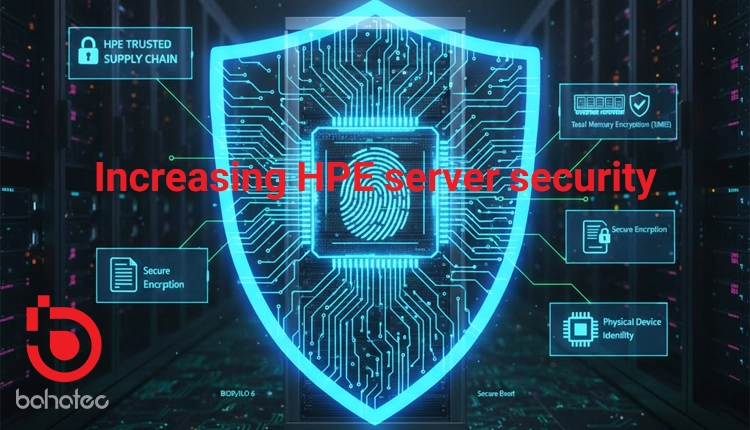
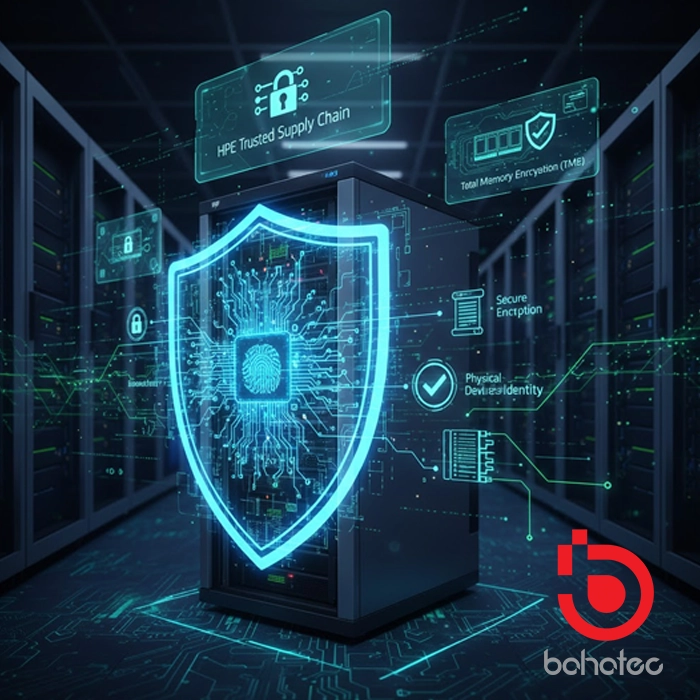
HPE Trusted Supply Chain (C-SCS)
Security starts before the server even reaches your loading dock. The HPE Trusted Supply Chain is a specialized manufacturing process designed for high-security environments.
-
Vetted Personnel: Servers are assembled in dedicated, secure facilities by screened HPE employees.
-
Anti-Tamper Packaging: Hardware is shipped with “Tamper-Evident” seals. As a specialist, you should verify the Identity Bolt and serial synchronicity upon arrival.
-
Pre-Boot Validation: Use the “Server Configuration Lock” feature, which snapshots the hardware inventory at the factory. If a single DIMM or PCIe card is swapped during transit, the server will refuse to boot until authorized.
-
Memory Encryption and Total Memory Encryption (TME)
With the rise of “Cold Boot Attacks,” where data is stolen from the RAM, securing volatile memory is the next logical step.
-
Intel TME / AMD SME: On Gen10 Plus and Gen11 servers, enable Total Memory Encryption. This ensures that all data residing in the system memory is encrypted at the hardware level with a single ephemeral key.
-
Hardware-Enforced Isolation: If you are running highly sensitive containers, utilize Intel SGX (Software Guard Extensions). This allows applications to set up “enclaves” in the RAM that even the BIOS or OS Kernel cannot peer into.
-
Implementing “Zero Trust” via Device Identity (802.1AR)
Standard servers trust any component plugged into them. To increase security, implement IDevID (Initial Device Identity) based on the IEEE 802.1AR standard.
-
Secure Device Identity: Each HPE Gen11 server contains a unique, cryptographically strong identity burned into the hardware.
-
Automated Provisioning: Use this identity to automate PXE boots and OS deployments. The deployment server will only “push” the OS image if the server proves its identity via its hardware-backed certificate, preventing “Man-in-the-Middle” deployments.
-
Advanced Networking: Disabling Side-Channel Discovery
Many IT admins leave discovery protocols active for convenience, but these are goldmines for attackers mapping your internal network.
-
Disable LLDP/CDP: Unless strictly required for automated switch port VLAN assignment, disable Link Layer Discovery Protocol. You don’t want a compromised server to broadcast its model, firmware version, and management IP to the entire network segment.
-
Port Group Siloing: In virtualized environments (ESXi/Hyper-V), ensure that the “Promiscuous Mode” is disabled on all vSwitches to prevent packet sniffing between virtual machines.
-
Runtime Intrusion Detection (Jitter and Side-Channel Monitoring)
HPE Gen10 and Gen11 servers can monitor for anomalies while the OS is running, not just at boot.
-
Jitter Monitoring: High-frequency changes in processor frequency (Jitter) can sometimes indicate side-channel attacks (like Spectre or Meltdown variants) trying to leak data. Use HPE Workload Matching profiles to set a “Consistent Performance” mode which stabilizes frequencies and reduces the “noise” attackers use to steal data.
-
iLO Runtime Validation: Ensure iLO is configured to scan the system board firmware periodically while the server is operational. This catches “living-off-the-land” attacks that attempt to modify firmware after the initial secure boot.
Specialist’s Advanced Checklist (The “Deep-Sec” Layer)
| Feature | Action Item | Purpose |
| Supply Chain | Enable Server Configuration Lock | Prevents hardware tampering during shipping. |
| RAM Security | Activate TME (Total Memory Encryption) | Protects data in memory from physical theft. |
| Identity | Utilize IEEE 802.1AR (iDevID) | Cryptographic proof of server authenticity. |
| OS Layer | Enable “Data Execution Prevention” in UEFI | Prevents buffer overflow attacks at the CPU level. |
| Network | Disable LLDP/CDP Protocols | Reduces the server’s fingerprint on the network. |
Conclusion
Securing an HPE ProLiant server requires a multi-layered approach that starts at the silicon and extends to the cloud. By leveraging iLO 6, Silicon Root of Trust, and HPE OneView, IT specialists can create a resilient environment that not only detects threats but recovers from them automatically. Remember: in the world of high-stakes infrastructure, trust is built in the hardware, but security is maintained by the administrator.